
Trade Manager to help you quickly enter and exit trades while automatically calculating your risk. Trades can be managed automatically and the account performance metrics can be visualised in a graph. These features make this panel ideal for all manual traders and it helps to enhance the MetaTrader 5 platform.
The Trade Manager does not work in the strategy tester. For a demo please message me
Risk Management
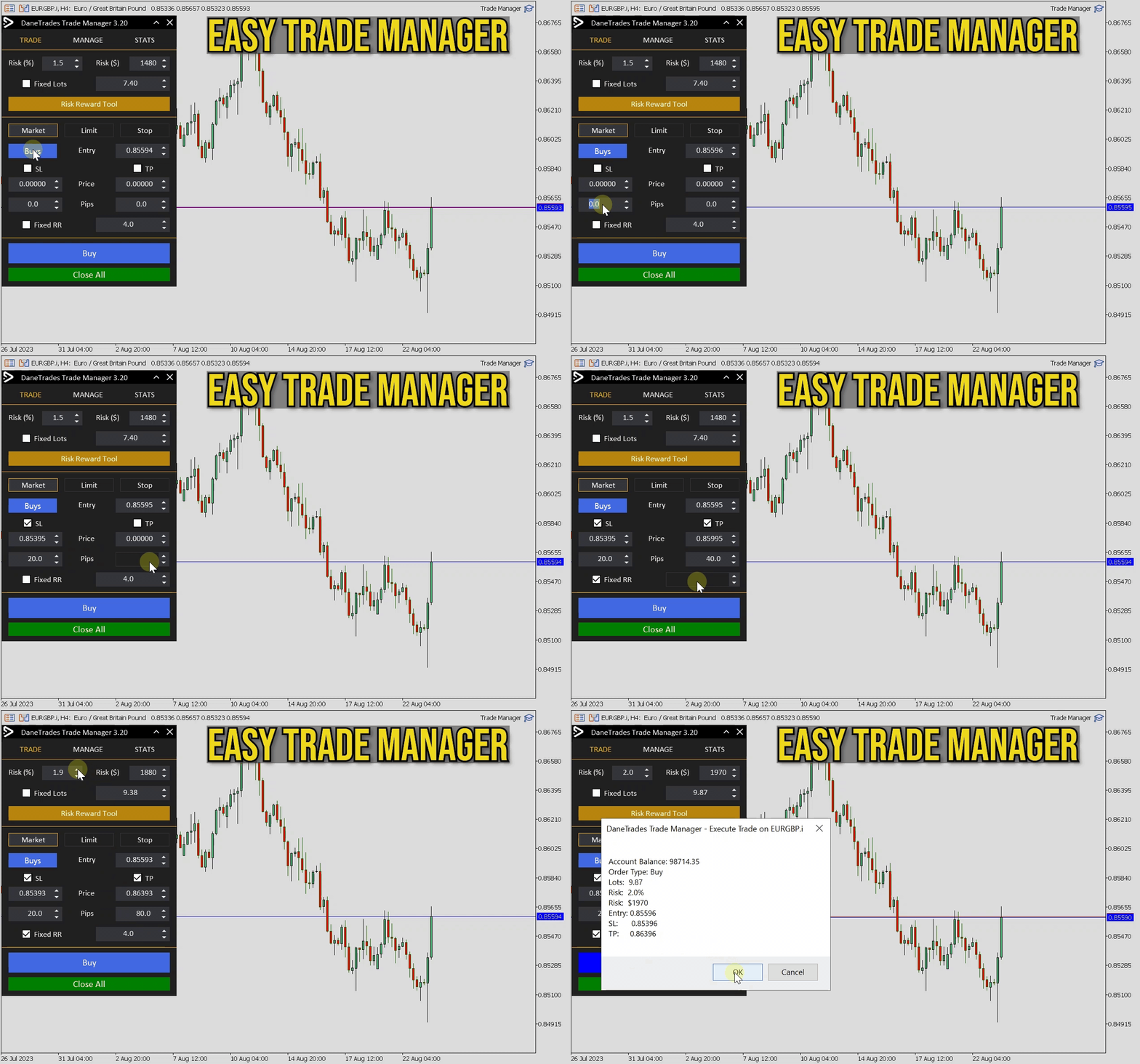
- Automatic adjustment of risk based on % or $
- Option to use fixed lot sizes or automatic lot size calculation based on volume and pips
- Breakeven stop loss settings using RR, Pips or Price
- Trailing stop loss settings
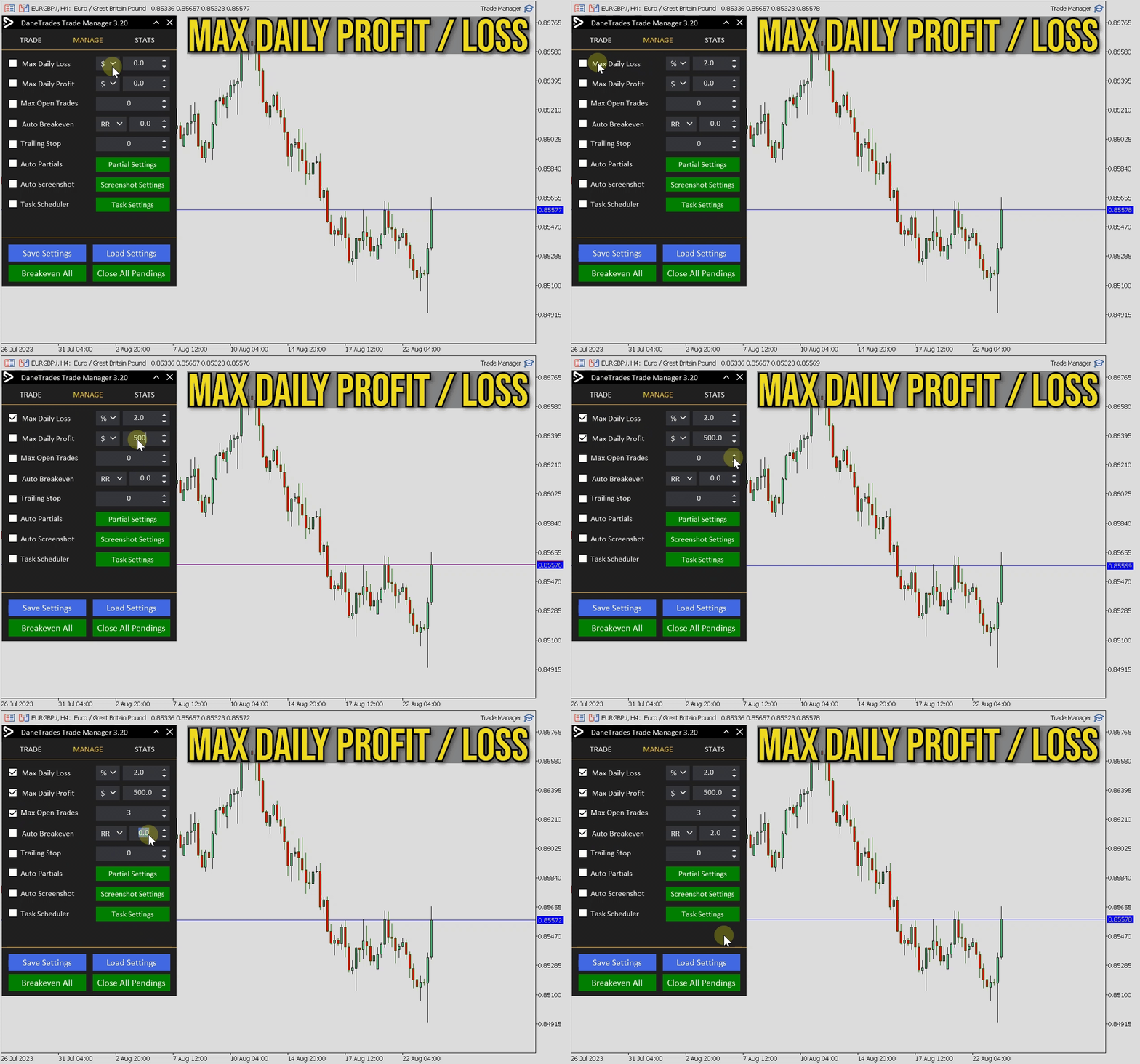
- Max Daily Loss in % to automatically close all trades when target is hit. Protects the account from too much drawdown and stops you from overtrading
- Max Daily Loss in $ to automatically close all trades when target is hit. Protects the account from too much drawdown and stops you from overtrading
- Breakeven all trades with one button
- OCO available in the settings
Trade and Position Management
- Support for both market orders and pending orders
- Max Daily Profit Target in $ to secure positions and stop overtrading
- Max Daily Profit Target in % to secure positions
- Max Open Trades to limit risk and exposure.
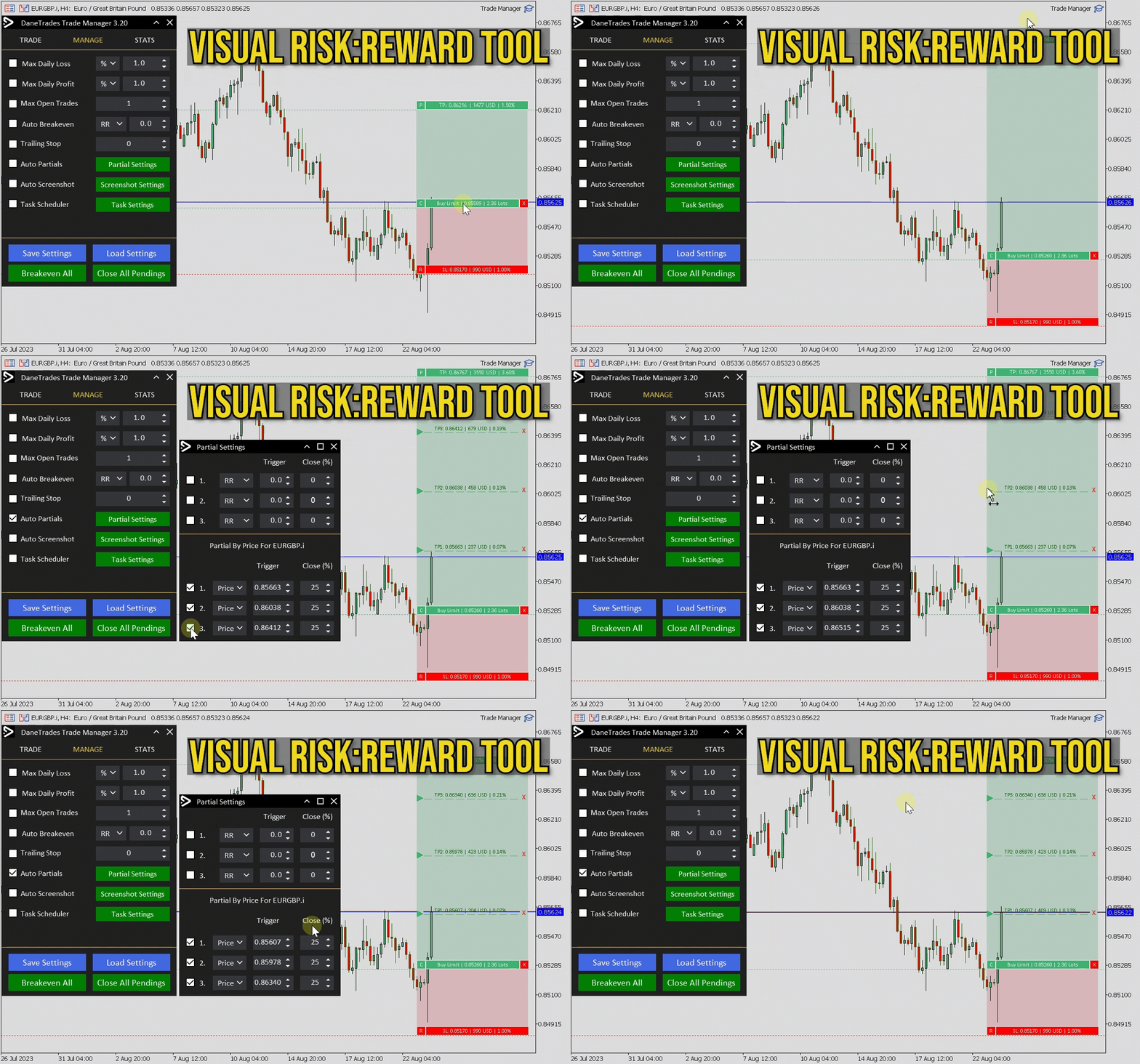
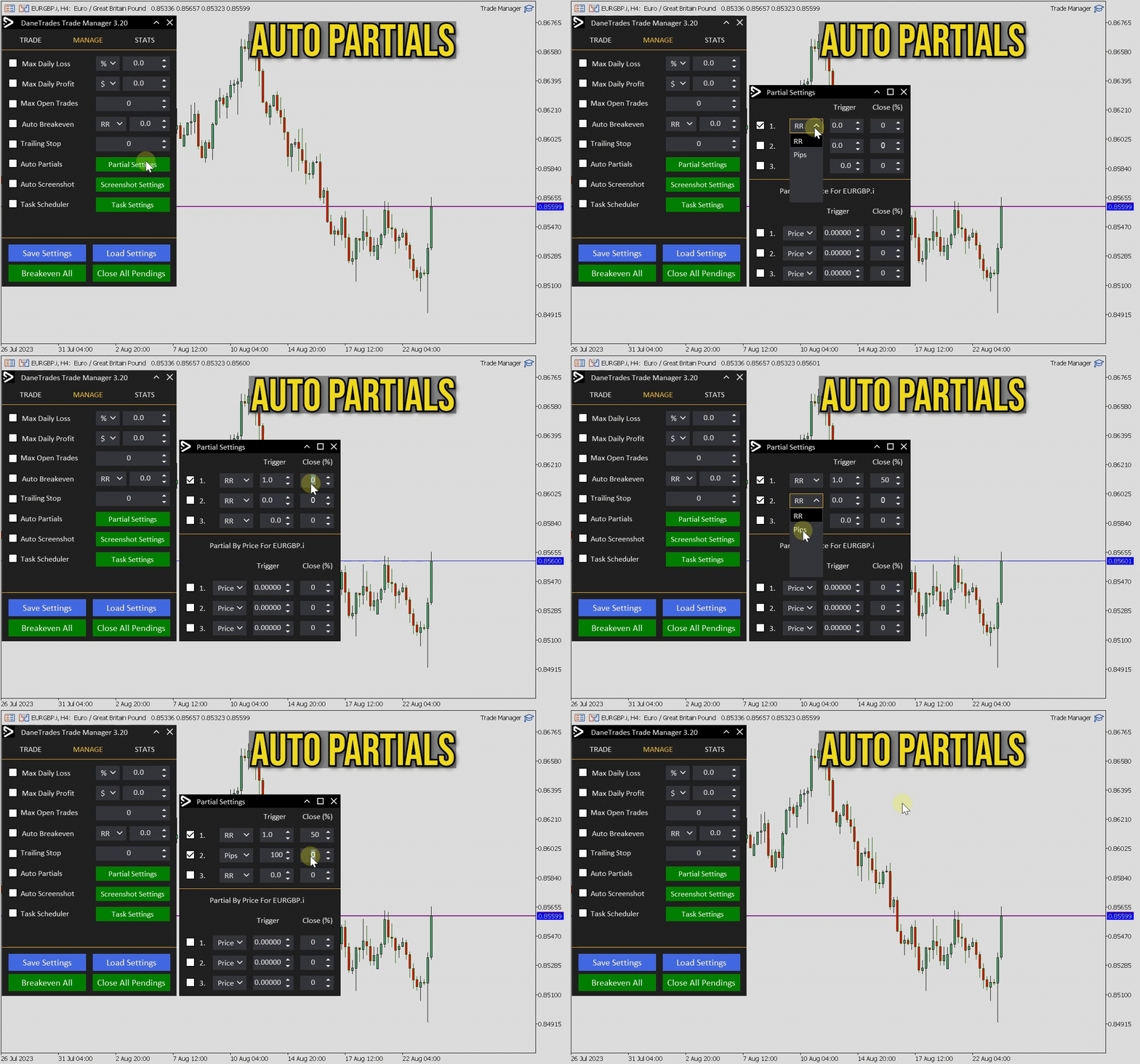
- Automatically take partials using RR, Pips or Price
- Enter using fixed RR targets such as 1:2, 1:3, 1:4 etc, and see the calculated profit of the position
- Close all pending orders with one button
Graphical Panel Features
- Use a visual risk reward tool to enter trades. Visualise trades and enter using lines.
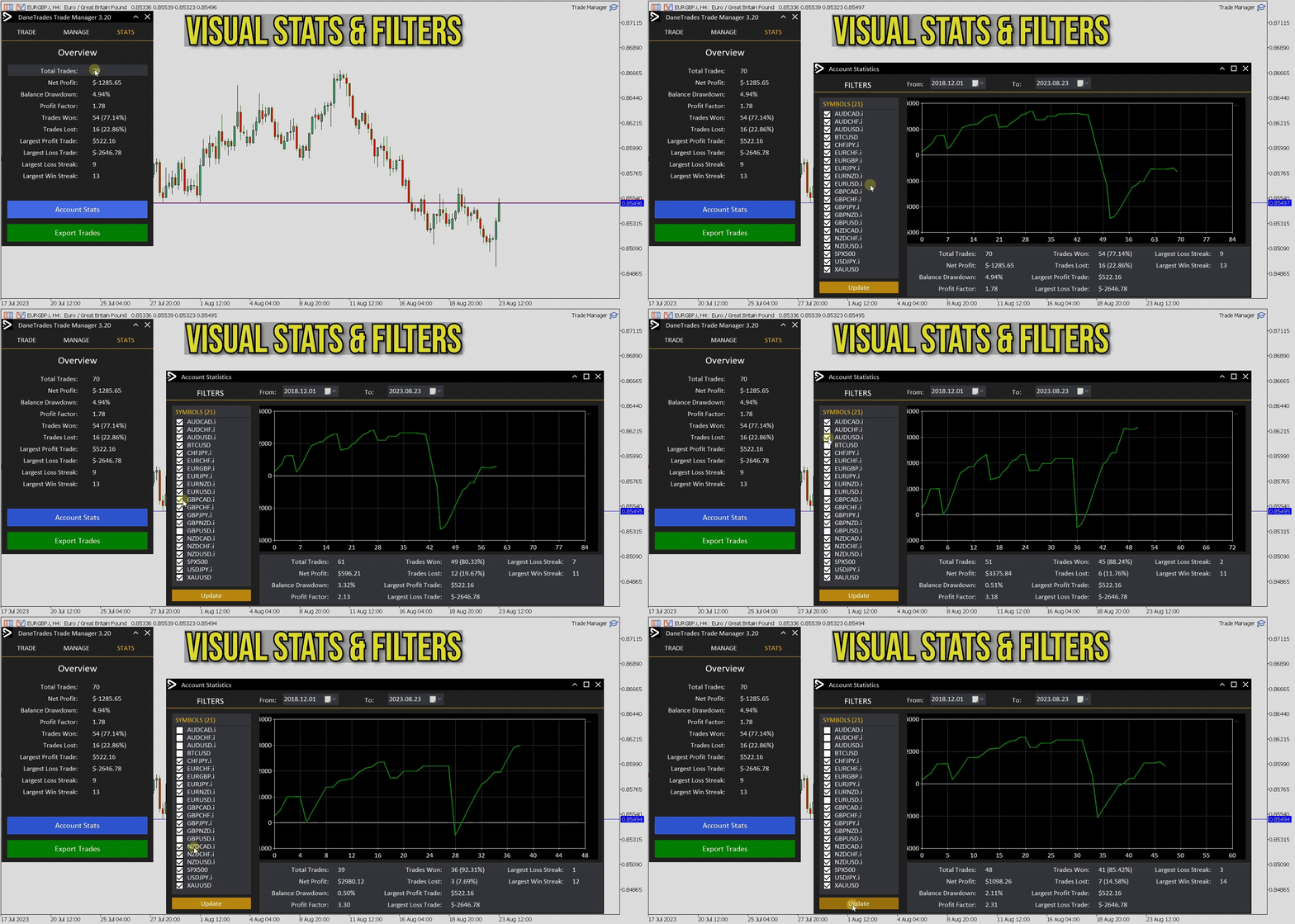
- Check account performance and stats such as Win rate, loss rate, total trades etc.
- Visualise trading performance and get a graph of stats with filters such as symbol and date range.
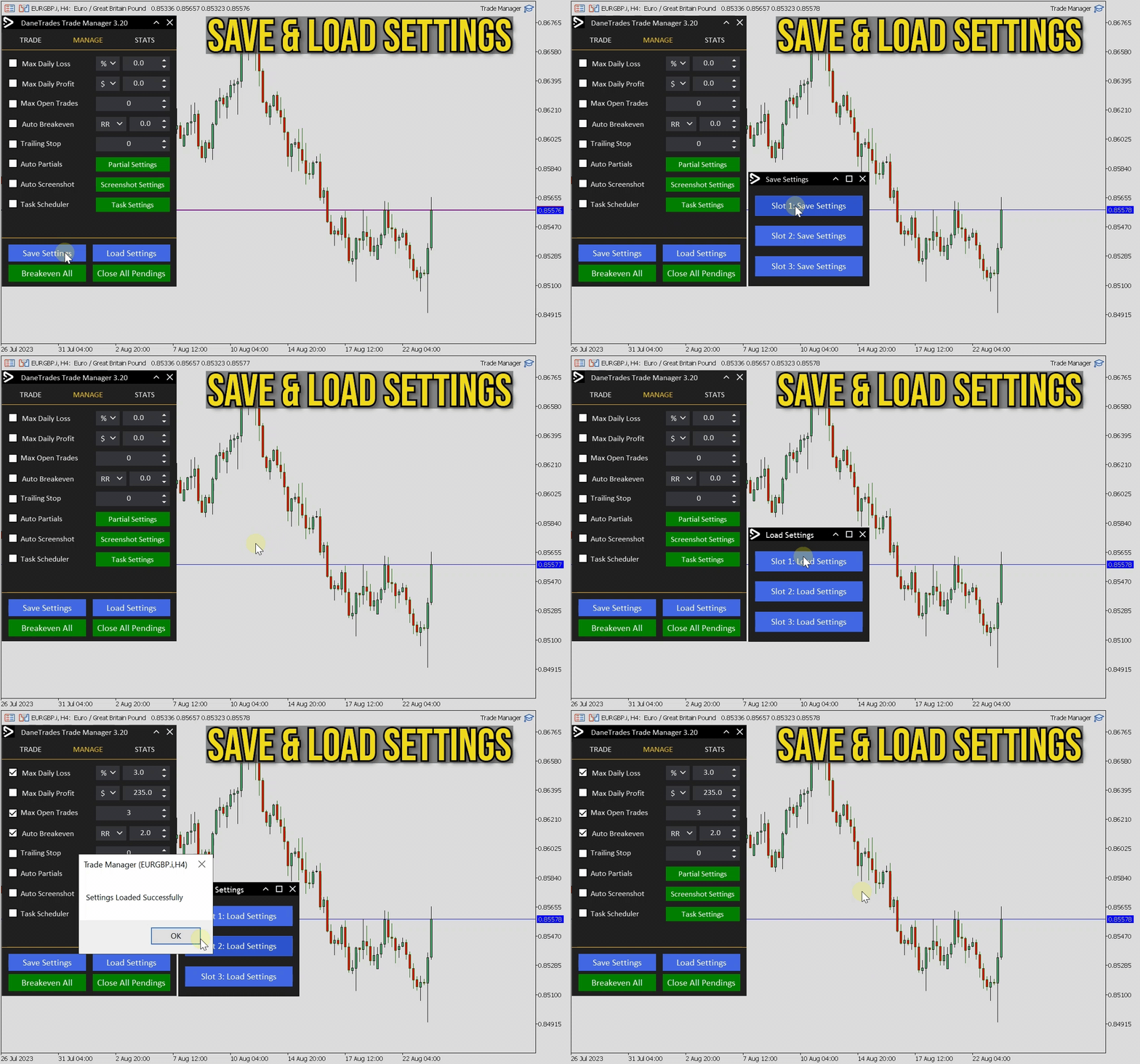
- Save up to 3 setting file templates for the managed settings
- Load settings files to quickly use your most preferred settings
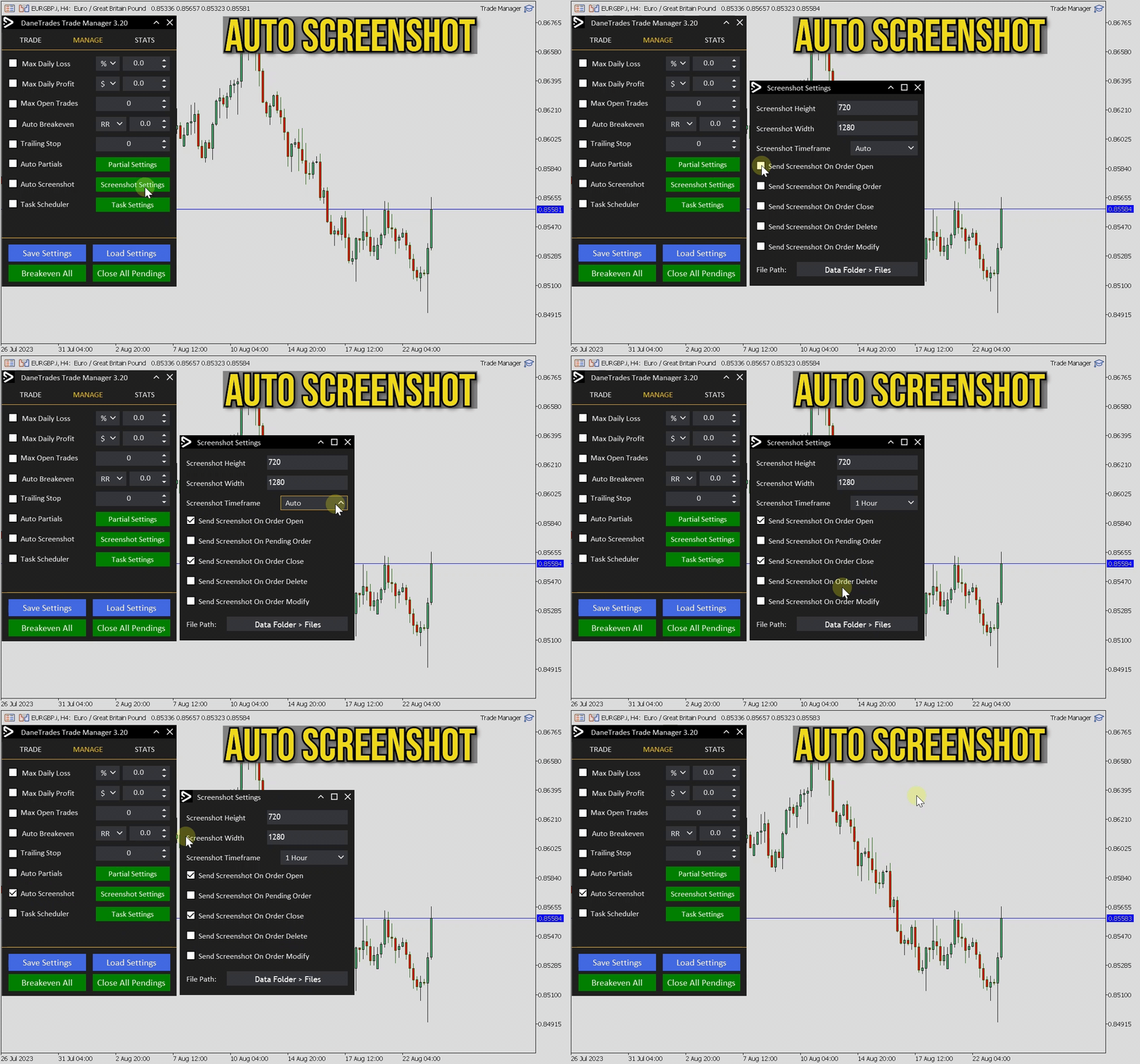
- Automatic screenshots. Customise timeframe and size of screenshot.
- Automatic screenshots on order pending, delete, open, close, expire, hit TP or SL.
- Export all trades to a spreadsheet with one button.
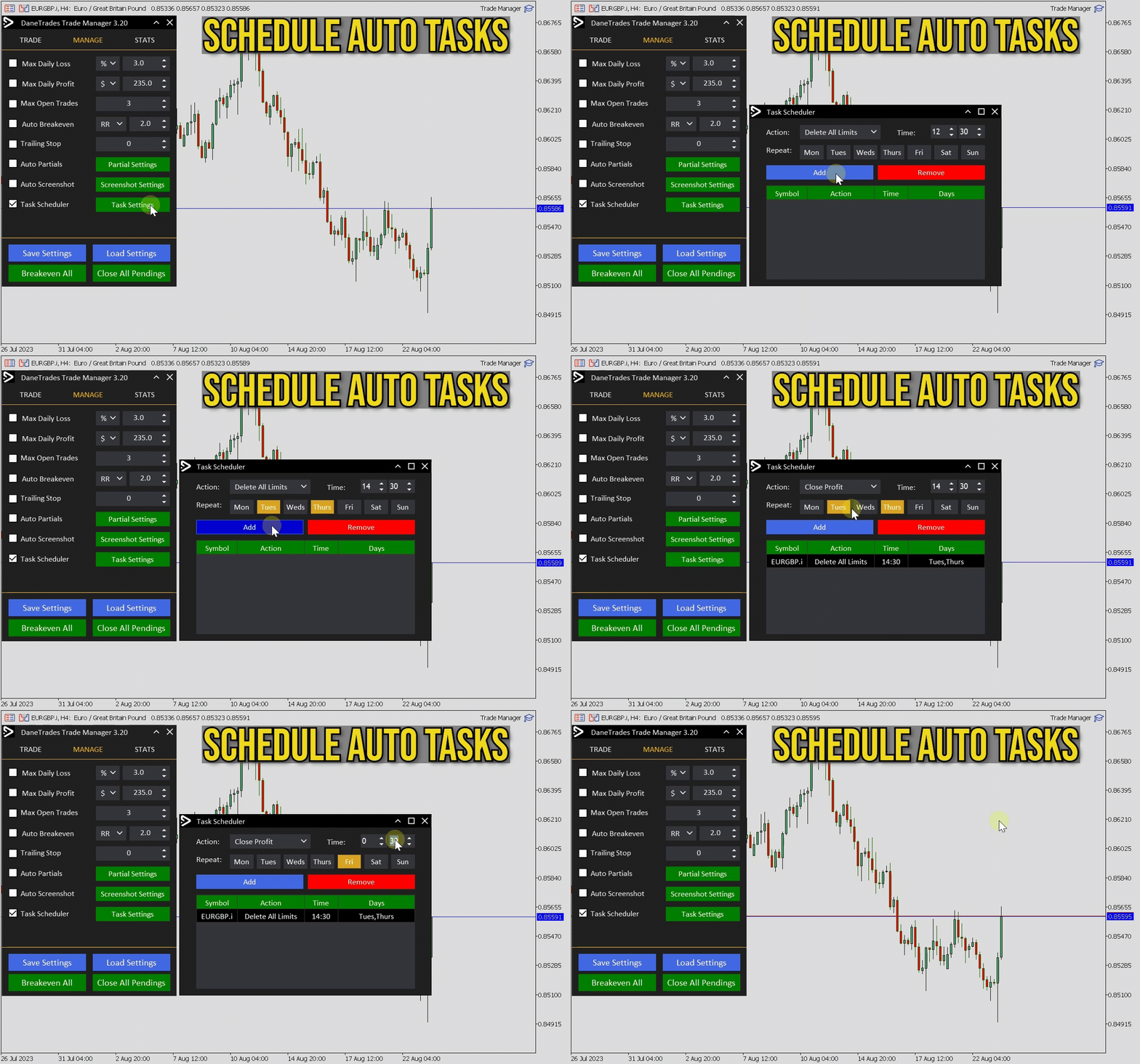
- Task Scheduler allows you to carry out actions on specific days and time.
Trading Hotkeys and Shortcuts
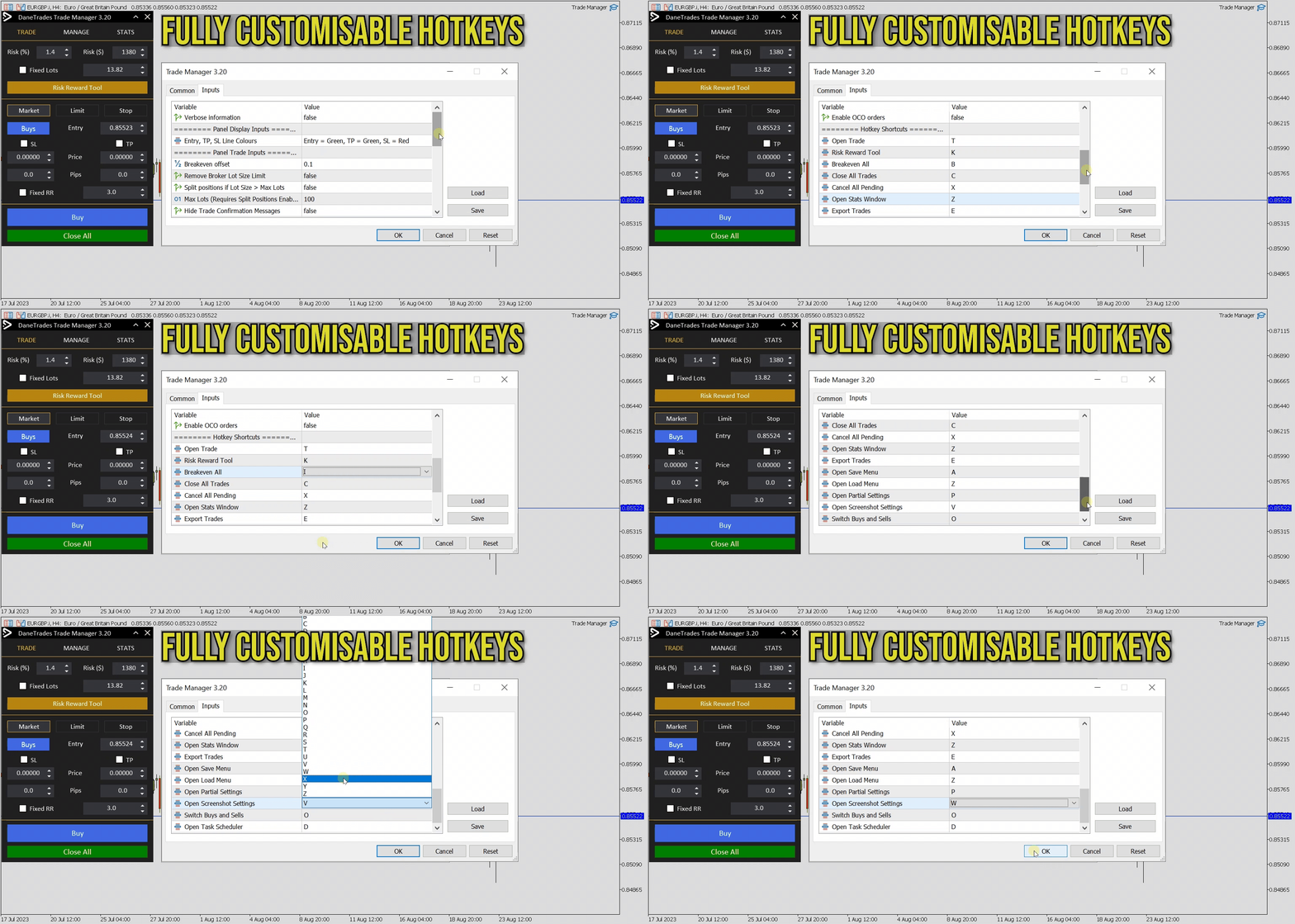
- Fully customisable hotkeys and shortcuts for main functions of the panel
If you have any issues please contact me I am always happy to help
#Tags: Prop Firm, Trading Panel, Trade Manager, Order Management, Trailing Stop, Break Even, Partial Close, Manual Trading, Trading Assistant, Trade Assistant, Risk Management